Cloud Instance
Each cloud asset found is registered in the plugin in a CloudInstance object
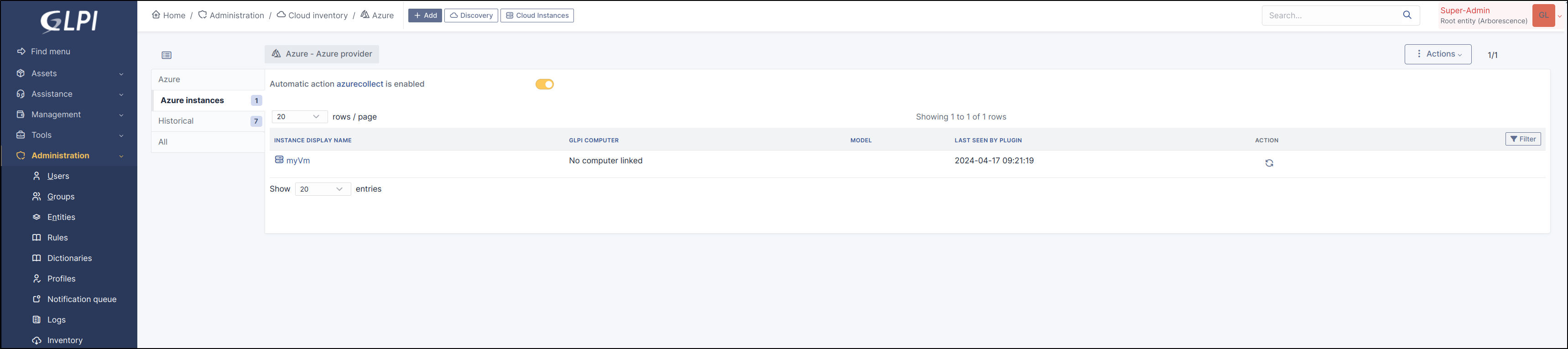
You can find the list of
CloudInstancehere

Or from the provider (and dedicated tab)
Note
The refresh action lets you manually execute synchronisation for a CloudInstance
Note
The status of the related CronTask is displayed (see CronTask)
A button allows you to activate or deactivate it

Click on
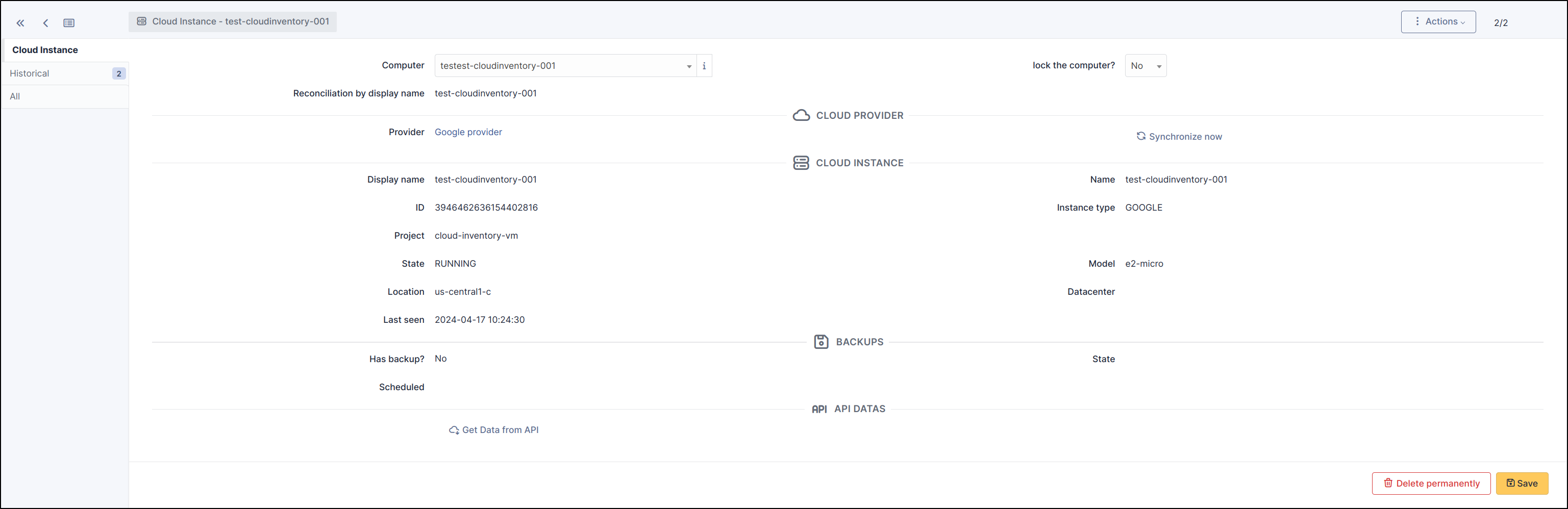
CloudInstancelink to get more information :
Warning
Synchronised Cloud Instances are automatically assigned to the same entity as the Provider from which they originate.
GLPI Computer
Related GLPI Computer found
Reconciliation type for this CloudInstance (name or MAC)
Note
Unknown GLPI computer
There are several reasons for this :
The computer does not yet exist in GLPI (you can then install the GLPI agent to bring it up and then restart the discovery of cloud instances to make the link).
Reconciliation (using the MAC or the name of the cloud instance) couldn’t find a computer.
Check that the MAC address or name exists in GLPI
You can manually select the corresponding computer (Don’t forget to lock the computer to prevent the next discovery from overwriting your selection.)
Contact us to improve the reconciliation method
Provider
provider name (link to GLPI provider form)
Button to synchronize this instance now
Cloud Instance
Instance name
Instance display name
Instance ID
Project ID
Projcet name
Model
State
Location
Datacenter
Backups
Has backup ?
Backup state
List of backups
Scheduled
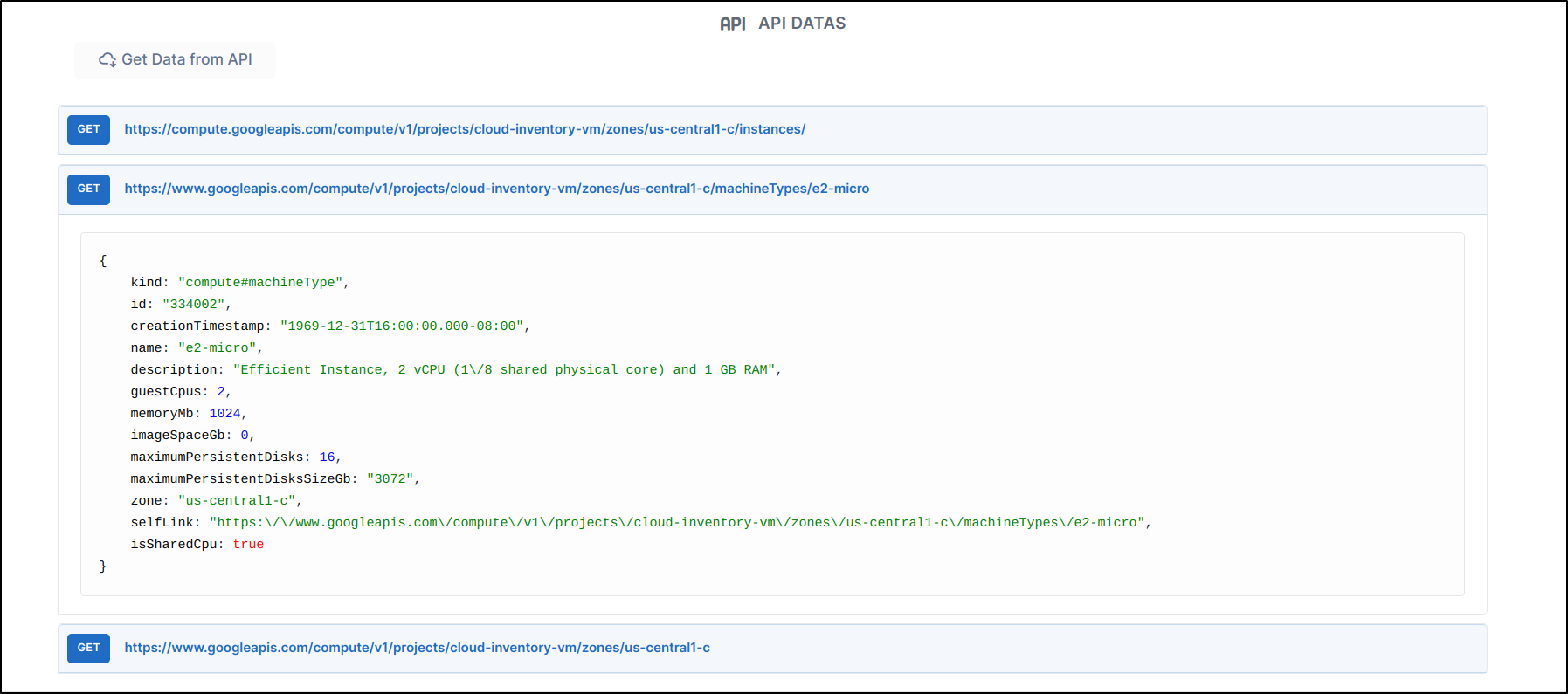
A final section, API data, gives you direct access to the API information for related Cloud Instance.