Entra
Create credentials
How to get your Tenant ID and Client ID
Go to your Tenant and register a new application

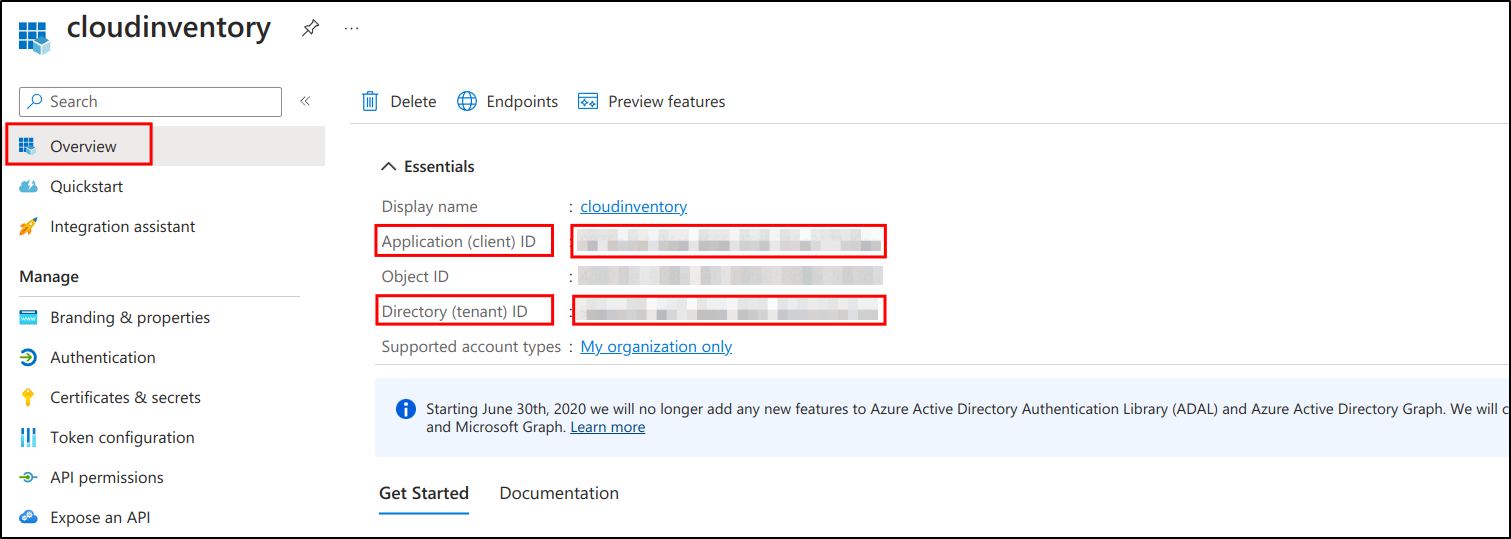
Go to Overview to get
Tenant IDandClient ID
Go to
Certificates and secretsAdd
New client secretDefine
expiresThen saved

The Secret value will be displayed (4)
Warning
Client secret value cannot be viewed, except for immediately after creation. Be sure to save the secret when created before leaving the page
Go to
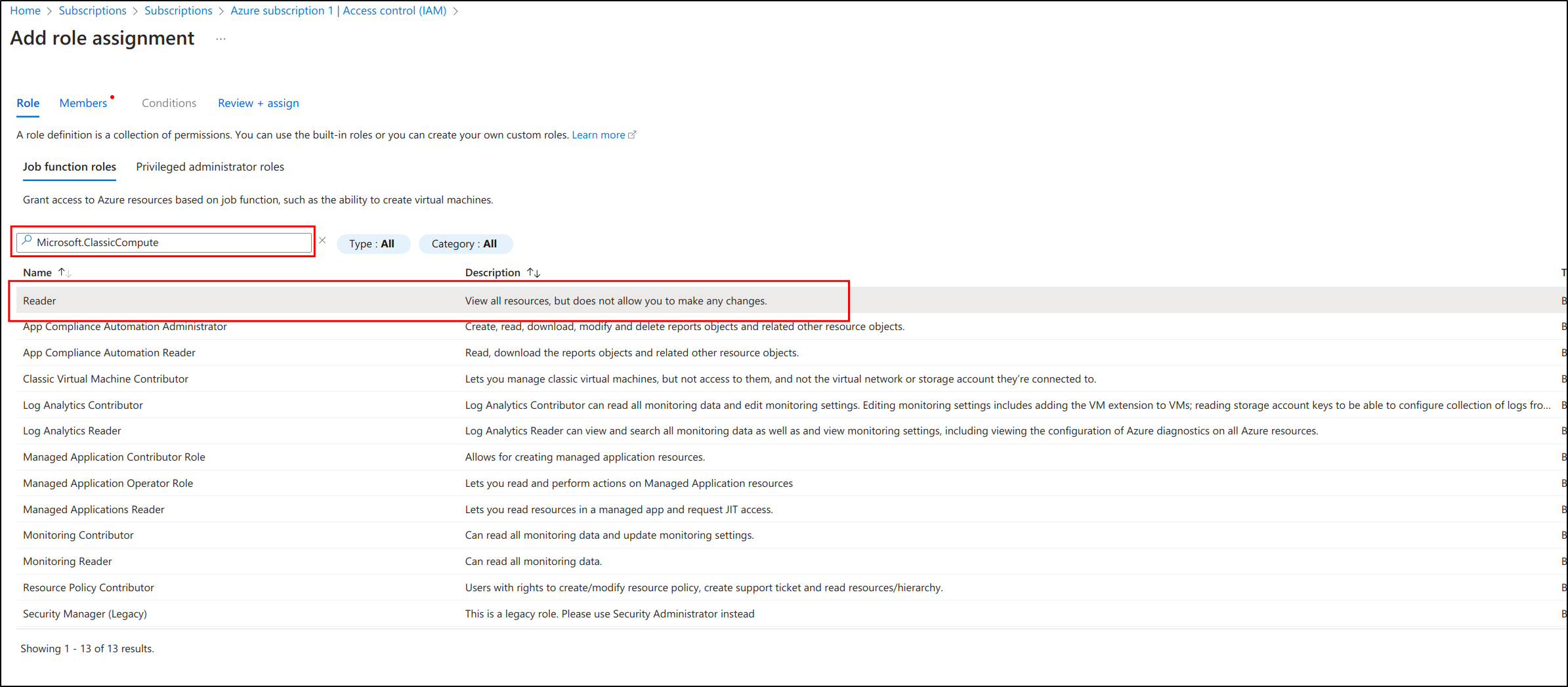
subscription>Access Control (IAM)>Add Role Assignment

Search for
Microsoft.ClassicComputeselect
Readerthen
next
Select
cloudinventory(application) previously createdThen click on
Review + assign

Setup GLPI
Go to Adminsitration > Cloud inventory > +Add

