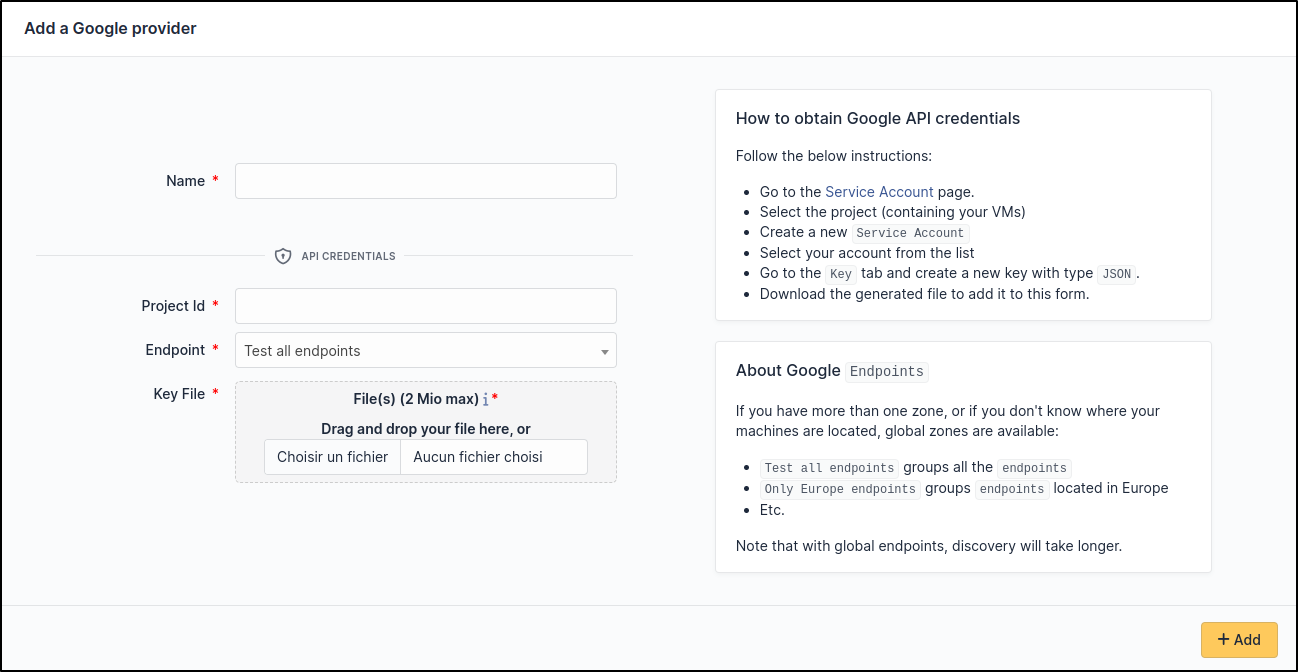
Google
Create credentials
Check the documentation on identifier management : How to manage your key
Or simply follow these instructions:
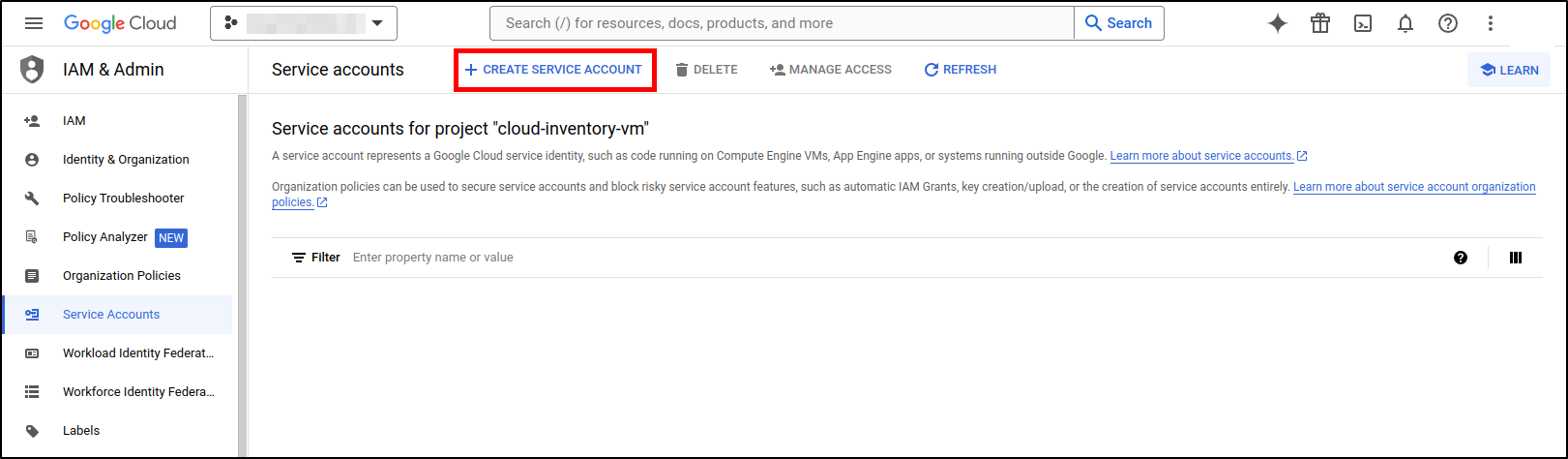
Go to the Service Accounts page in Google Cloud Console
Select the Project on which your Virtual machine was created
Create a new Service Account
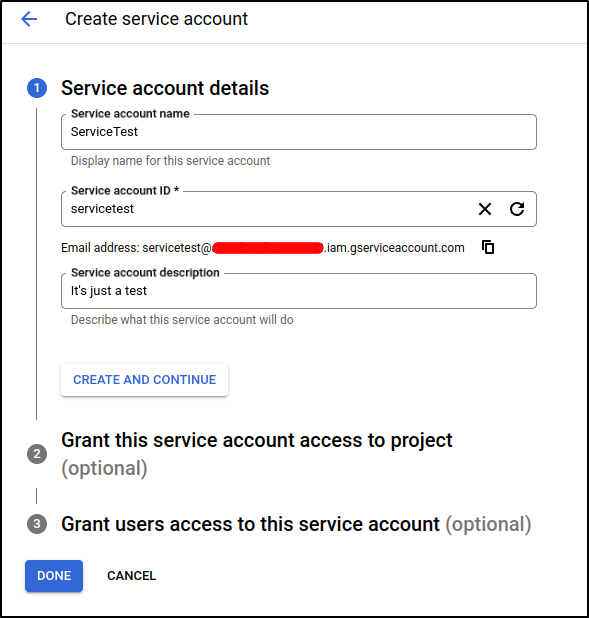
Fill in the required information, then click on
Done
Select your account on the list

Choose JSON type
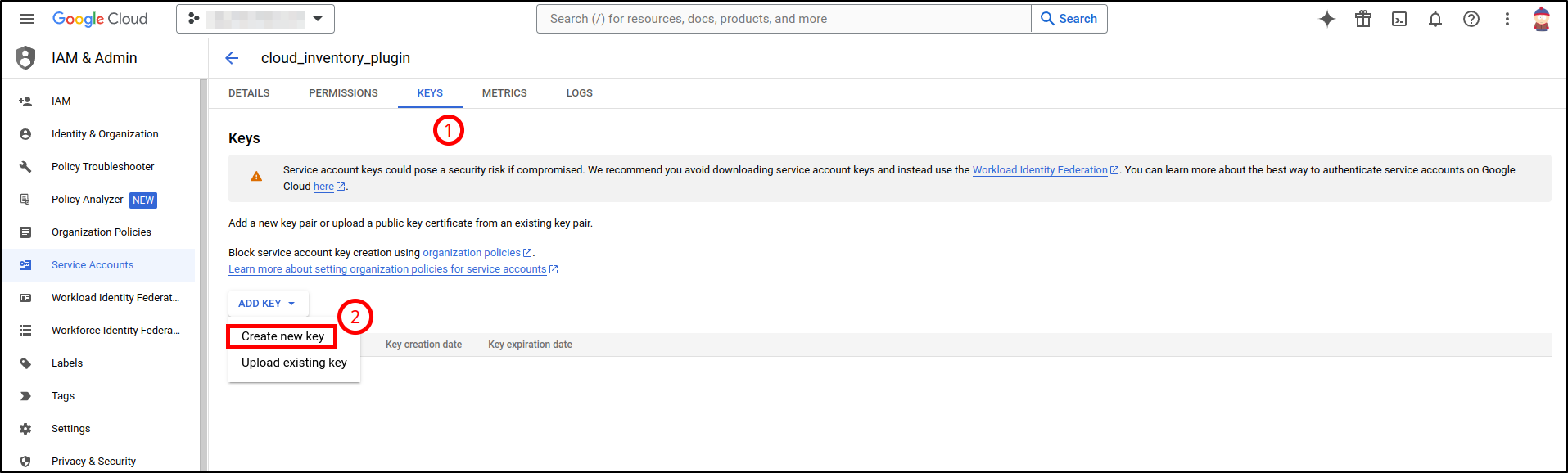
Now your key file has been downloaded to your computer
Setup GLPI
Go to Adminsitration > Cloud inventory > +Add